Set up your LinkedIn outreach in four steps.
Choose your audience, connect senders, approve your messaging and AI instructions, then launch and monitor your campaign.
No complicated software stack. Your accounts and Dedicated Senders share the same purchased software capacity.
Your own LinkedIn accounts
$79/account/mo
Software on an account you connect
Dedicated Senders
$120/sender/mo
Managed sender; software charged separately.
- Your accounts or Dedicated Senders
- You approve messaging and AI instructions
Credit card required. Renews at $79/mo after 7 days unless canceled.
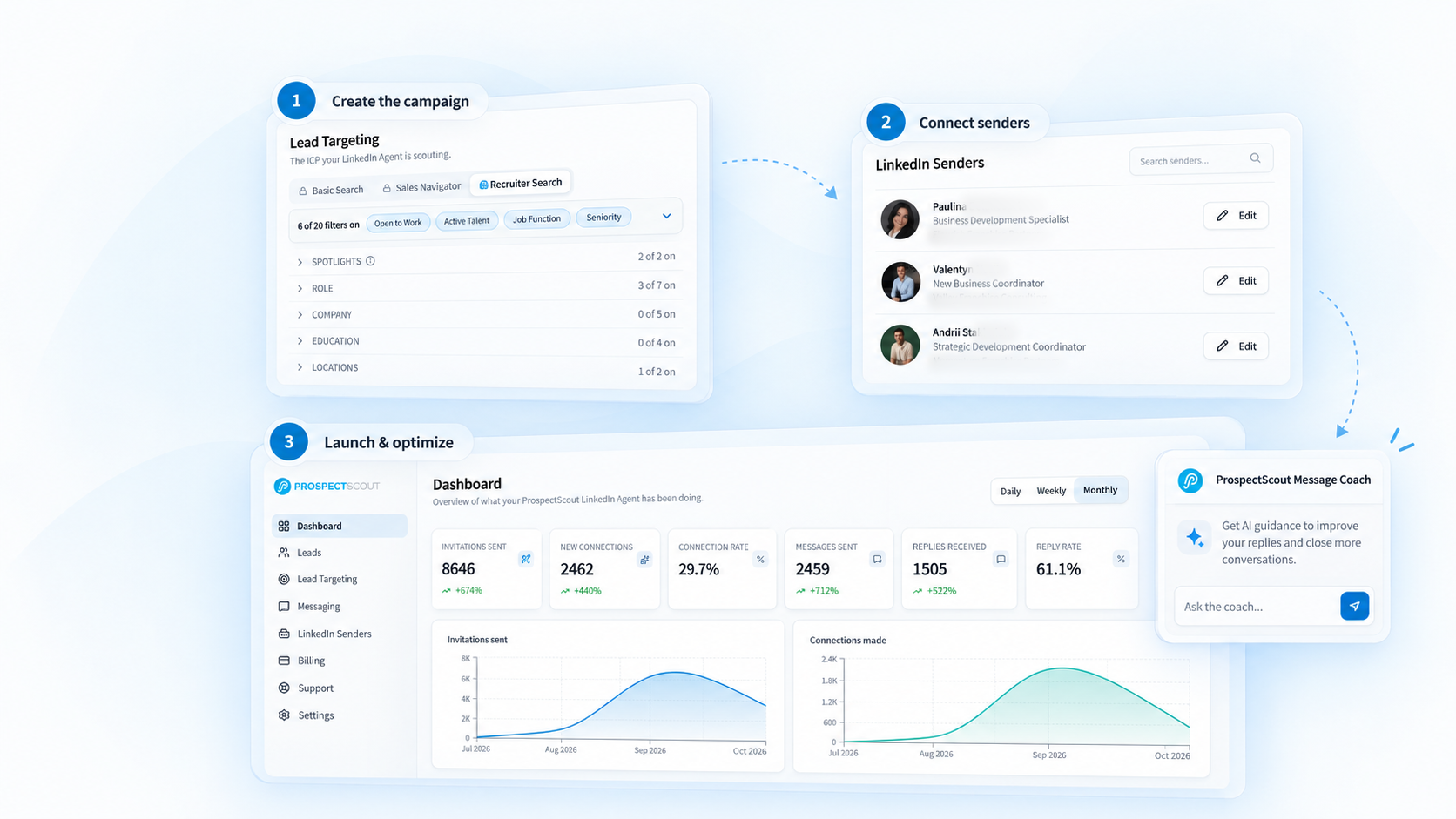
Four steps to a running campaign.
Every ProspectScout campaign follows the same four steps, from the first targeting decision to a monitored, running campaign.
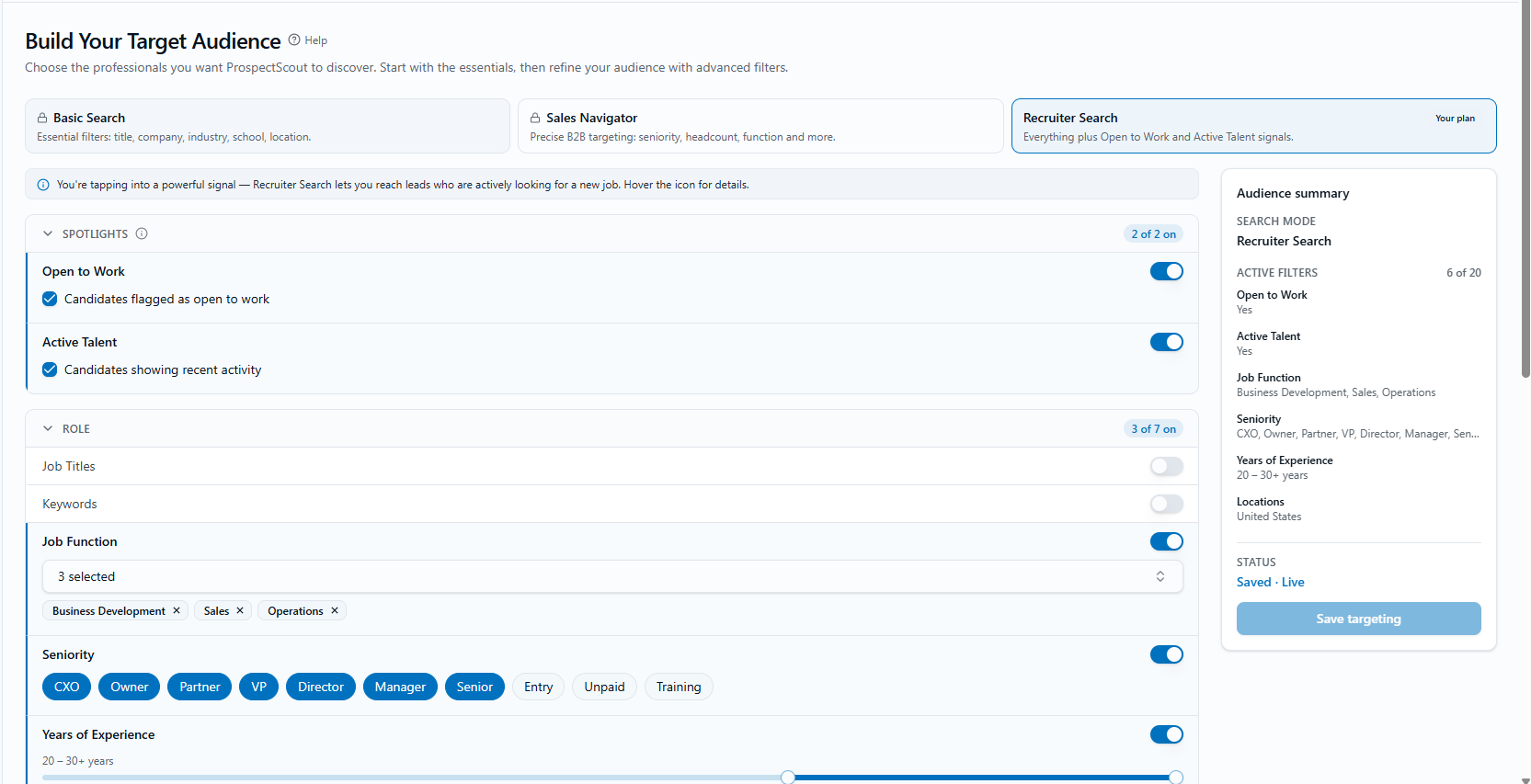
Define your audience
Set targeting criteria and review the matching prospects imported into your campaign.
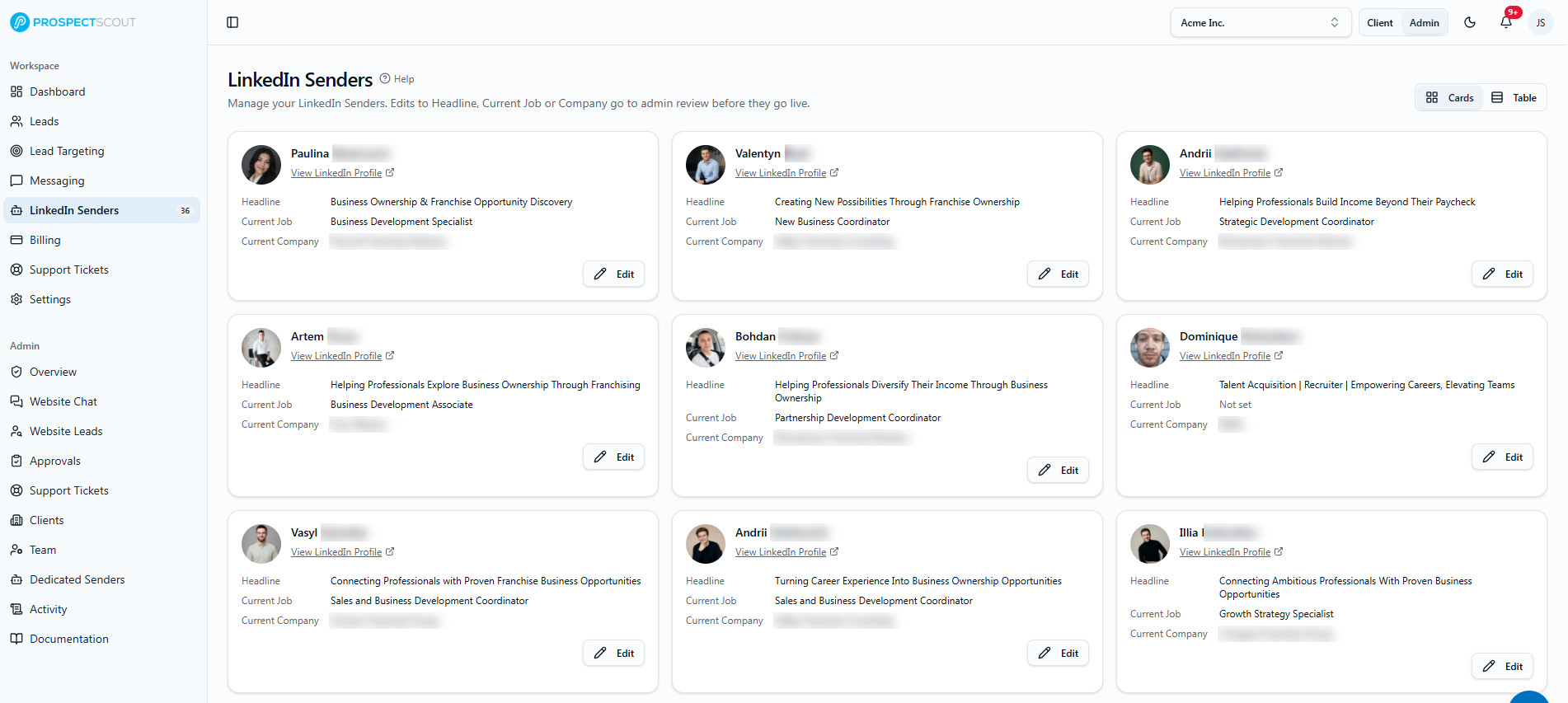
Connect your senders
Connect authorized LinkedIn accounts, add Dedicated Senders, or use both.
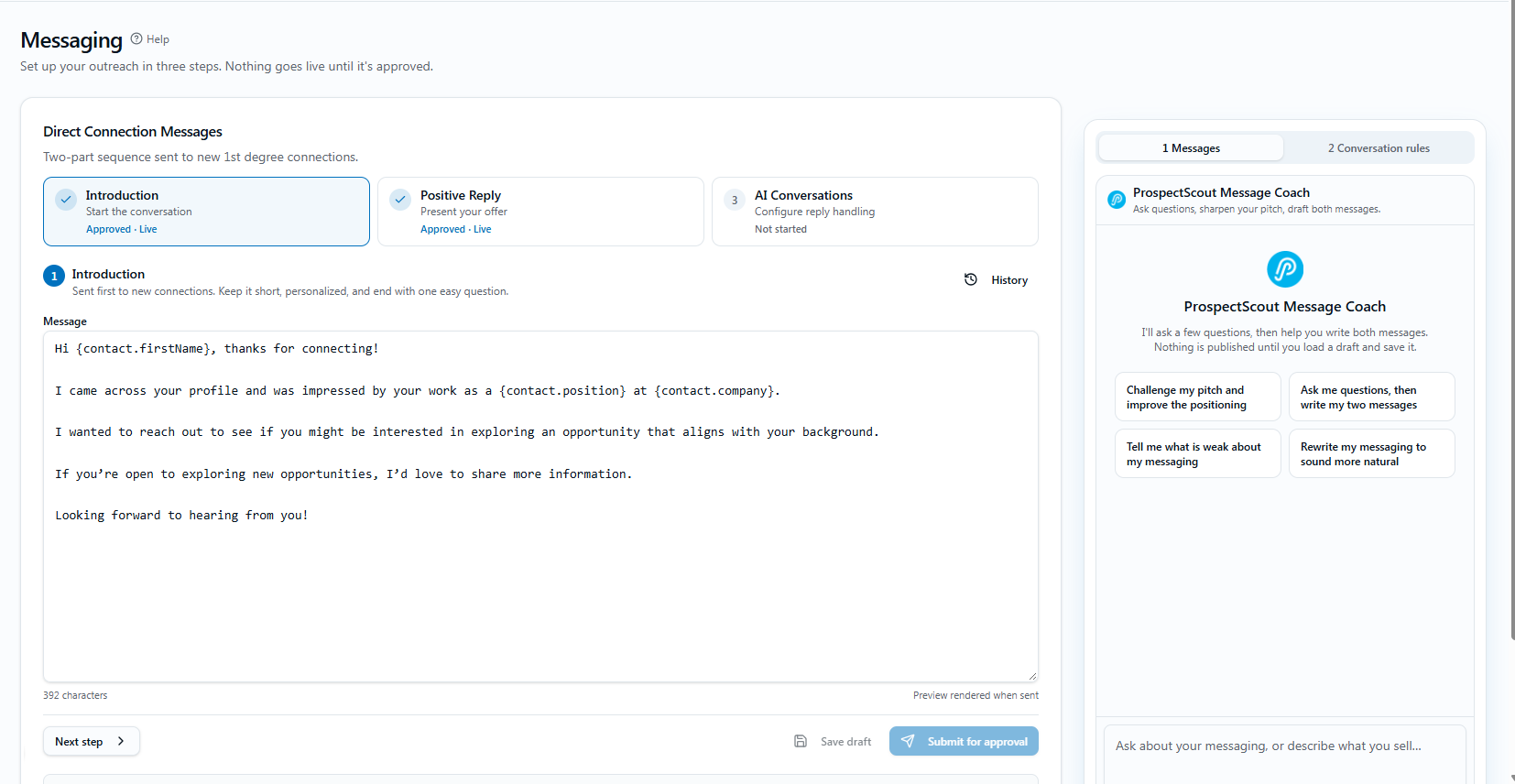
Approve the conversation
Set your outreach messages, follow-ups, qualification questions, AI instructions, and booking link.
Launch and monitor
Track outreach and replies, review conversations, and take over whenever needed.
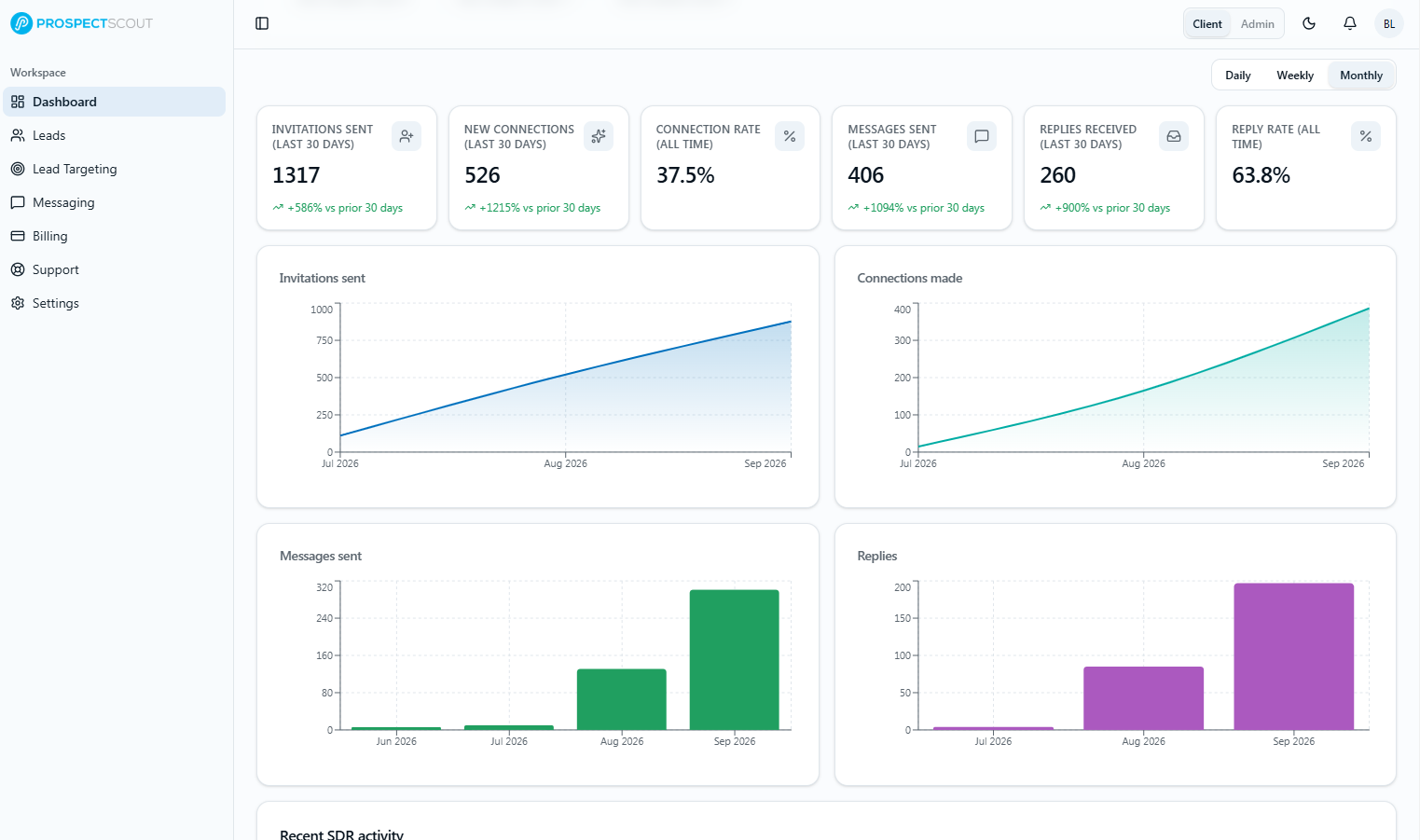
The software runs your campaign. Dedicated Senders simply add more accounts for it to run on.
Already running LinkedIn outreach? Start with the senders and workflows you need.
Connect the LinkedIn accounts you already use, add Dedicated Senders for extra capacity, or combine both in one campaign. You set up your targeting, messages and AI instructions in ProspectScout; existing conversations and campaigns from other tools are not imported.
Credit card required. Renews at $79/mo after 7 days unless canceled.
The full campaign lifecycle, in detail.
Optional detail: the seven stages a campaign moves through once the four steps are done, and who handles each one.
See the full campaign lifecycle
Stage 01
Set the ICP and targeting criteria
Define the job functions, seniority, experience, locations, companies, and other signals that identify the people the campaign should reach.
You control
You approve the audience definition and targeting rules.
ProspectScout executes
The platform keeps those criteria organized as the campaign’s source of truth.
Stage 02
Compile the contact list
Build and maintain the working list of prospects that match the campaign, so automation always operates from an approved audience.
You control
You can review and adjust who belongs in the campaign.
ProspectScout executes
The software works through the assigned list instead of selecting prospects ad hoc.
Stage 03
Send connection requests
ProspectScout automates approved connection requests from the outreach accounts assigned to the campaign.
You control
You set the campaign direction and outreach goals.
ProspectScout executes
Contacts are distributed across your senders, with outreach pacing configured per sender and account conditions.
Stage 04
Message new connections
New connections receive the messaging and follow-up sequence you approved for the campaign.
You control
You approve the offer, message strategy, and call to action.
ProspectScout executes
The software sends approved messages and keeps the sequence moving.
Stage 05
Manage the inbox
Every reply is attached to its lead on the Leads page, tagged by type, and answered by ProspectScout AI using your instructions.
You control
You retain visibility into inbox activity and conversation progress.
ProspectScout executes
ProspectScout AI keeps the conversation going; you can step in personally or draft with AI at any time.
Stage 06
Qualify the leads
Interested prospects are evaluated against your qualification criteria to separate casual replies from real sales conversations.
You control
You define the questions and the standard for a qualified lead.
ProspectScout executes
Qualification rules and visible conversations help your team identify and advance real opportunities.
Stage 07
Coordinate appointments
Qualified prospects move from the message thread to the agreed next step without requiring your team to chase the handoff.
You control
You choose the call to action, calendar, and handoff process.
ProspectScout executes
The platform keeps the handoff visible so qualified prospects can move toward a meeting.
Your strategy stays in control. The work stays visible.
ProspectScout connects the decisions only your team can make with automated execution and visible conversations. Nothing has to disappear into a black box.
Your target audience and list
Job function, seniority, experience, location, company — or a list you already have.
Your offer
What you sell and the reason a prospect should care about hearing from you.
Your approved messaging
The connection note and follow-ups you want sent. You approve message templates, lead targeting, and the AI’s instructions before launch. ProspectScout AI then writes individual replies within those instructions, and you can review or take over any conversation.
Your qualification criteria
The questions that decide whether a prospect moves forward or not.
Your call to action
A booked call, a calendar link, a reply to your inbox — whatever your process ends in.
What stays visible
- Connected accounts and current campaign work
- Outreach activity and message progress
- Inbox conversations requiring attention
- Qualification status and next steps
- Prospects progressing toward meetings
Review the campaign, conversations, and pipeline without personally managing every touchpoint.
Customer accounts are connected with your own login. Dedicated Senders are managed LinkedIn accounts with dedicated proxies.
Same system. More capacity.
Once the campaign is defined, adding an automation seat expands execution without rebuilding the audience, messaging, qualification rules, or reporting process.
Start with the capacity you need today, then add more as the numbers justify it. Connected accounts start at $79 monthly; Dedicated Senders are $120 each, software charged separately.
Credit card required. Renews at $79/mo after 7 days unless canceled.